
July 11, 2026 at 07:53 PM EST
Gotta render em' all in React
July 11, 2026 at 07:53 PM EST
Gotta render em' all in React
Today, we’ll explore how to selectively display images based on a custom number range in React. For example, If I had a custom range picker going from 1 to my total number of images, setting 1 to 3 would show the first three images. This functionality comes in hand when memorizing an order of images or practicing parts of a song. It’s a recurring theme in my apps, such as Segmance, to cut objects of study into small digestible units.
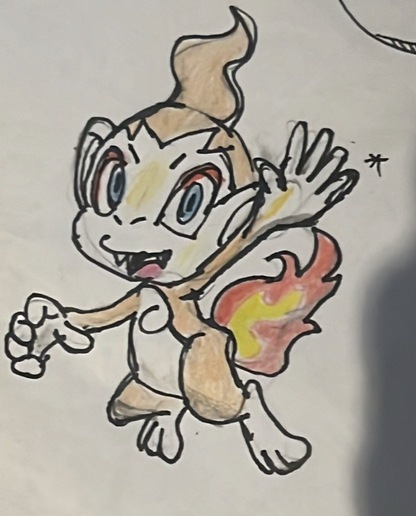
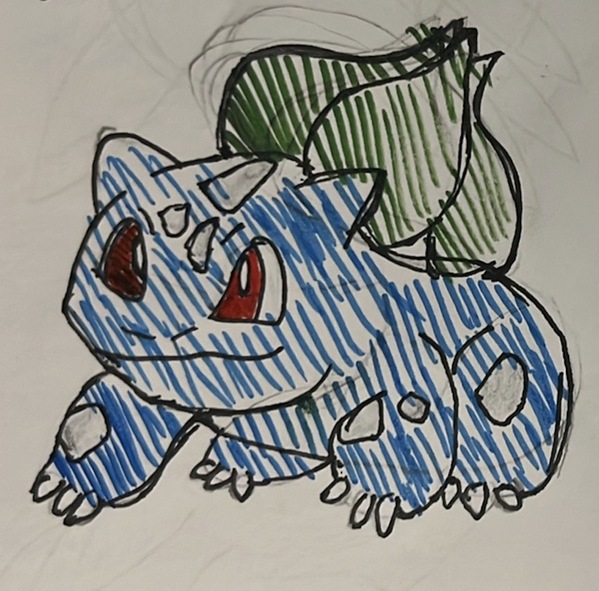
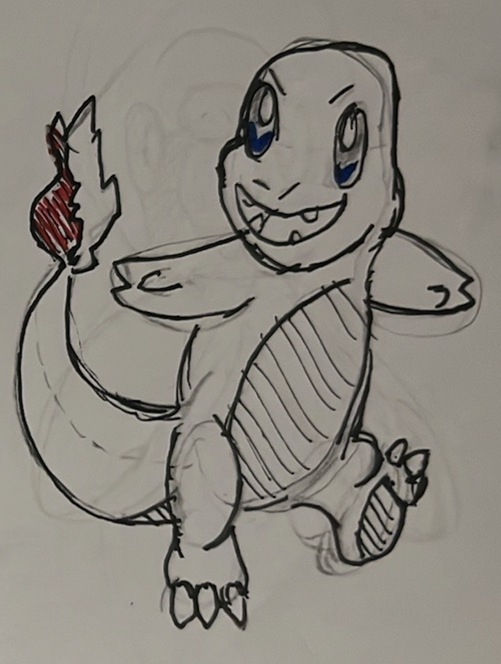
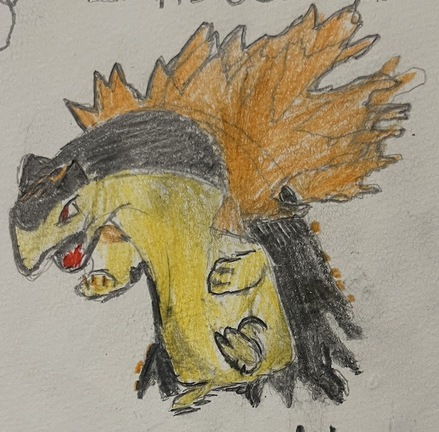
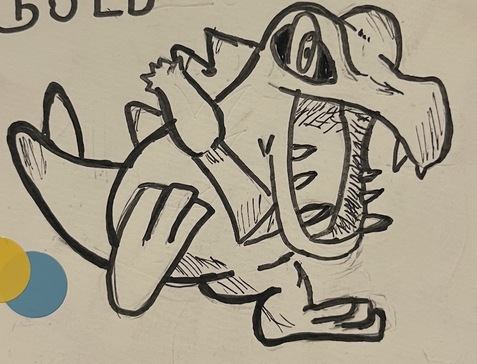
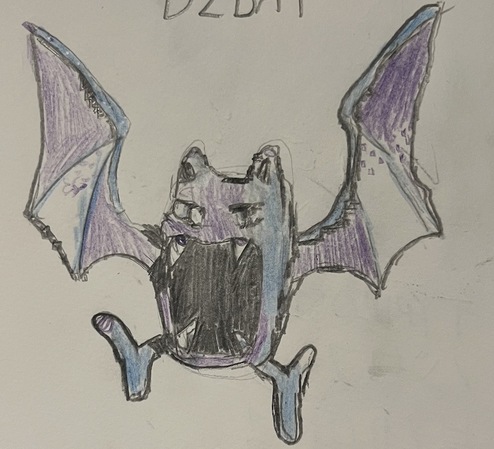
The JPEG images featured are Pokémon I doodled inspired from Pokémon Art Academy. Assume they exist locally in public/ at the hypothetical path below; this is where we’ll fetch them. They’re also conveniently named p1,p2,p3 etc. for looping purposes.
// Path we'll utilize for the remainder of this post
// * => p1.jpeg; p2.jpeg, etc.
/public/pokémon/*.jpeg
Chimchar (p1.jpeg)
Bulbasaur (p2.jpeg)
Charmander (p3.jpeg)
Typhlosion (p4.jpeg)
Totodile (p5.jpeg)
Golbat (p6.jpeg)
Our first move is fetching the Pokémon image URLs and storing them inside a state variable pokemonImages. We also need two number state variables startIndex and endIndex to control our display range.
We define them within the PokéDisplayer component:
// PokeDisplayer.tsx
const [pokemonImages, setPokemonImages] = useState<string[]>([]);
const [startIndex, setStartIndex] = useState<number>(1);
const [endImage, setEndImage] = useState<number>(1);

// TO-DO
To access a local directory in React, we sparkle our code with useEffect, which is a hook that fetches external data (API, local files, etc.) after components are rendered to the DOM. The idea is to loop through our pokémon directory and create an n-size array of the image paths. Now, we can’t determine dynamically the number of image URLs to be fetched through the loop, thus we specify it in a different file. In the same directory containing our images, we create a manifest.json with a property parts representing the predetermined number of images. That number will be used in the Array.from() 1. function to setup pokemonImages. If we were using Vite, a wiser choice would have been import.meta.glob, but we’ll skip it!
manifest.json at /images/pokémon/
// We need to know the parts in advance!
{
  "parts": 6
}
PokéDisplayer
import {useState, useEffect} from "preact/hooks"


interface PokeProps {
    folder_name: string
}

export default function PokeDisplayerV1( {folder_name}: PokeProps) {

    const [pokemonImages, setPokemonImages] = useState<string[]>([]);
    const [startIndex, setStartIndex] = useState<number>(1);
    const [endIndex, setEndIndex] = useState<number>(1);

    // We fetch the # of parts to use it in our map. For looping, te image filenames are conveniently p + a digit.
    useEffect(() => {
    const loadPokemonImages = async () => {

        // Get a Response object.
        const res = await fetch(`/${folder_name}/manifest.json`);
        // Turn the Response object to a Javascript object.
        const data = await res.json();

        const imgs = Array.from(
        { length: data.parts },
        (_, i) => `/${folder_name}/p${i + 1}.jpg`
        );

        setPokemonImages(imgs);
        setEndImage(data.parts);
    };

    loadPokemonImages();
    // Rerun the effect if we choose a different folder
    }, [folder_name]);


    return (

        <div>

            <p className="text-center"> We have fetched {pokemonImages.length} pokémon images from our public/pokemon folder with URLs:</p>
            <ul>

                {pokemonImages.map(url => {
                    return  (
                        <li className="my-1 ">
                        {url}
                        </li>
                    )

                })}
            </ul>
        </div>
    )

}
Rendering <PokeDisplayerV1 folder_name="pokemon"/>
We have fetched 0 pokémon images from our public/pokemon folder with URLs:
Now that our array is filled, we build a custom range picker where we can pass our startIndex, endIndex and totalItems to a RangePicker component. This component will be rendered inside the PokéDisplayer. Whatever change happens inside the picker will be reflected in the parent component, therefore we also need to pass callbacks onStartSelect and onEndSelect. These callbacks simply refer to the original setState functions in our PokéDisplayer which signal any changes happening in the Picker to its parent.
In PokéDisplayer, our mission is to render the following:
<RangePicker
  startIndex={startIndex}
  endIndex={endIndex}
  totalItems={pokemonImages.length}
  {/* setStartIndex and setEndIndex inside PokéDisplayer are being passed here. */}
  onStartSelect={setStartIndex}
  onEndSelect={setEndIndex}
/>
interface RangePickerProps {

  startIndex: number;
  endIndex: number;
  totalItems: number;
  onStartSelect: (start: number) => void;
  onEndSelect: (end: number) => void;
}

function RangePicker({startIndex,endIndex, totalItems, onStartSelect, onEndSelect}: RangePickerProps) {

  // TO-DO
  return (

  )

}
The RangePicker constitutes of two HTML input elements each controlling the start and end indices. What’s important with the inputs is guaranteeing a logical range; endIndex shouldn’t be smaller than startIndex for example. The startIndex input is:
<input
  type="number"
  min={1}
  // Guaranteed the adequate range of the startIndex; it won't surpass the endIndex or be under 1.
  max={endIndex}
  value={startIndex}
  onChange={(e) => onStartSelect(Number(e.target.value))}
  className="pkmn-input text-center bg-white p-2"
/>interface RangePickerProps {
startIndex: number;
endIndex: number;
totalItems: number;
onStartSelect: (start: number) => void;
onEndSelect: (end: number) => void;
}
export default function RangePicker({startIndex,endIndex, totalItems, onStartSelect, onEndSelect}: RangePickerProps) {
return (
<div className="range-picker">
<p className="my-1"> The range displayed should be from p{startIndex} to p{endIndex}</p>
<input
type="number"
min={1}
max={endIndex}
value={startIndex}
onChange={(e) => onStartSelect(Number(e.target.value))}
className=" pkmn-input text-center bg-white rounded p-2"
/>
<input
type="number"
min={startIndex}
max={totalItems}
value={endIndex}
onChange={(e) => onEndSelect(Number(e.target.value))}
className=" pkmn-input text-center bg-white border border-gray-300 p-2 "
/>
</div>
)
}
We can now complete our PokéDisplayer by integrating a visiblePokemonImages array which is the sliced pokemonImages array according to the RangePicker range. The partial code is:
import {useState, useEffect} from "preact/hooks"
import RangePicker from "./RangePicker"

interface PokeProps {
    folder_name: string
}

export default function PokeDisplayerV2( {folder_name}: PokeProps) {

    // ... useEffect block here omitted

    // Internally, the start index is 0, so -1
    const visibleImages = pokemonImages.slice(startIndex-1, endIndex)
    return (


        <div>

            <RangePicker
                startIndex= {startIndex}
                endIndex = {endIndex}
                totalItems = {pokemonImages.length}
                onStartSelect = {setStartIndex}
                onEndSelect= {setEndIndex}
             />

             <div className="grid grid-cols-3 post-img-container my-2 ">


                {visibleImages.map((src, i) => (
                <div className="my-2 mx-1 pkmn-container ">
                <img

                    key={i}
                    src={src}
                    alt={`Pokémon image ${i}`}

                />
                </div>

            ))}


             </div>


        </div>
    )

}
The range displayed should be from p1 to p1
This is pretty cool, but what if I wanted to display the images without a range? For instance, If I have buttons labelled from 1 to 6, tapping 2; 5; 6 displays Bulbasaur, Totodile and Golbat. This is done with a number Set rather than a startIndex and setIndex. An array variation is also possible.
To kick off 2., we’re going to create a BubblePicker component which renders as many buttons as images. To keep track of any tapped button i, we instantiate a Set of numbers in the PokéDisplayer. This way, we can pass an onButtonClick callback to the BubblePicker, which sends back the index of the tapped button to the PokéDisplayer. For clarity, the BubblePicker sends the index number argument to the main component PokéDisplayer that handles Set operations.
BubblePicker
interface BubblePickerProps {
  totalItems: number;
  idxSet: Set<number>
  onButtonClick: (idx:number) => void;

}

// We're also passing the idxSet to the child to add an active class to the tapped buttons.
export default function BubblePicker({totalItems, idxSet, onButtonClick}: BubblePickerProps) {
    return (
    <div className="bubble-picker">


        {Array.from({length:totalItems}).map((_,i) => (

            <button
            // We'll see the onButtonClick in the next snippet.
            onClick = {(e) => onButtonClick(i)}
            className={idxSet.has(i) ? "pkmn-active pkmn-button" : "pkmn-button"}  key={i}>{i+1}</button>
        ))}

    </div>
    )
}
In PokéDisplayer, we have our function handleSetChanges which modifies the idxSet by adding or removing the indices of the tapped buttons. It’s straightforward, but to update the Set’s state, we have to make a copy of the idxSet before updating it. React state should be considered immutable as mentioned in the docs.
// ...
const [idxSet, setIdxSet] = useState<Set<number>>(new Set());
const handleSetChanges = (idx: number) => {
    setIdxSet(prev => {
        const next = new Set(prev);

        if (next.has(idx)) {
            next.delete(idx);
        } else {
            next.add(idx);
        }

        return next;
    });
}
The pokemonImages can now be filtered in relation to the indexSet. Because we’re using a Set and Array.filter (preserves order), the original order of the images is intact.
import { useState, useEffect } from "preact/hooks"
import BubblePicker from "./BubblePicker"

interface PokeProps {
    folder_name: string
}

export default function PokeDisplayerV3({ folder_name }: PokeProps) {

    const [pokemonImages, setPokemonImages] = useState<string[]>([]);
    const [idxSet, setIdxSet] = useState<Set<number>>(new Set());

    // useEffectLogic

    const handleSetChanges = (idx: number) => {
        setIdxSet(prev => {
            const next = new Set(prev);

            if (next.has(idx)) {
                next.delete(idx);
            } else {
                next.add(idx);
            }

            return next;
        });
    };

    // Filter based on the indexSet
    const visibleImages = pokemonImages.filter((_, i) => idxSet.has(i));

    return (
        <div>

            <BubblePicker
                totalItems={pokemonImages.length}
                idxSet={idxSet}
                // If there's only one parameter, no need to specify it.
                onButtonClick={handleSetChanges}
            />

            <div className="grid grid-cols-3 post-img-container my-2">

                {visibleImages.map((src, i) => (
                    <div
                        key={i}
                        className="my-2 mx-1 pkmn-container"
                    >
                        <img
                            src={src}
                            alt={`Pokémon image ${i}`}
                        />
                    </div>
                ))}

            </div>

        </div>
    );
}
All good. The source code is on my GitHub.
No comments on this post yet. Be the first to share your wisdom :)